Create Dashboard #
There are three ways to create a Dashboard:
Quick Creation #
Hover Plus Icon in the side menu and select +Dashboard.
Dashboards Manage Page #
Hover Menu Icon in the side menu and select Manage. Click on the New Dashboard button to create a new Dashboard. At the same time, you can perform various management operations on Dashboard on this page, such as creating new folders, moving Dashboard, and importing Dashboard.
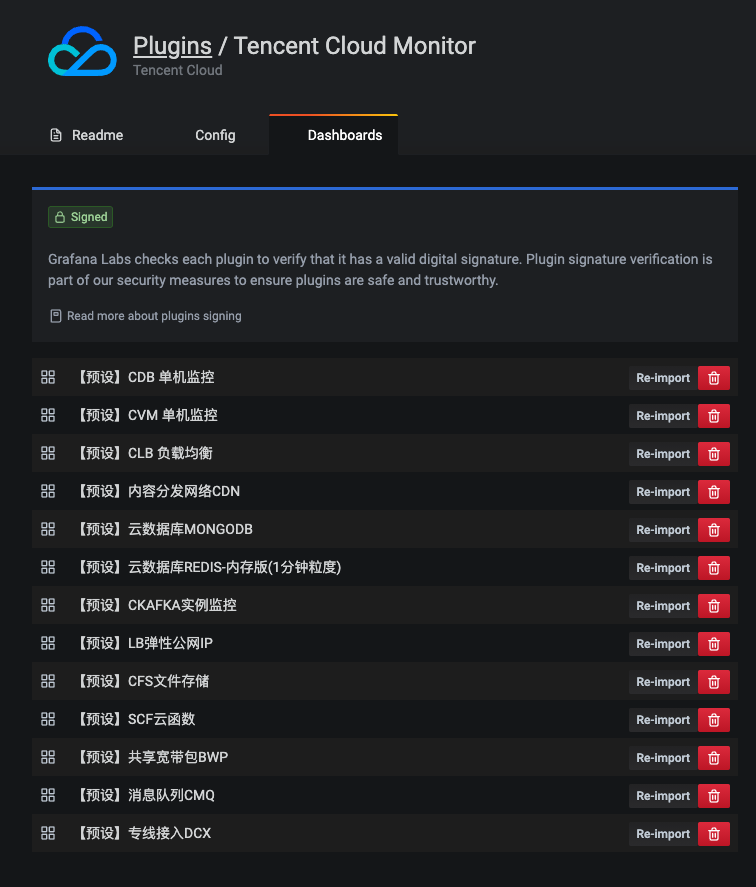
Import Dashboard Templates #
Hover Settings Icon in the side menu and select Plugins. Select the Tencent Cloud Monitor plugin, navigate to Dashboards tab and import dashboard templates from here.